Identify Any Stamp
by Photo
Lay the stamp on a white background and take one picture. StampBrain comes back with the Scott number, the series, the year, the denomination, the colour and the perforation — and if the watermark is what you need, there is a separate mode that reads it off a backlit shot.
Definitives, commemoratives and the awkward ones
Filter the catalogue by what a stamp is, or just photograph whatever is in the album — the identifier works out the issue on its own.
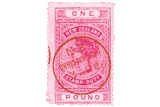
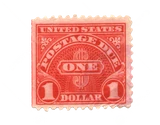

And by where it came from
 United States
 Great Britain
 Commonwealth
 France
 Germany
 China
China Japan
Japan Everywhere else
Three steps, one stamp at a time
No perforation gauge, no watermark tray, no squinting at a catalogue. Put the stamp down and take the picture.
Photograph the stamp
White background, stamp filling the frame. Shoot the front, turn it over for the back — or switch to Detect Watermark, hold the stamp up to a light or lay it face-down on something dark, and shoot that.
Read the markers
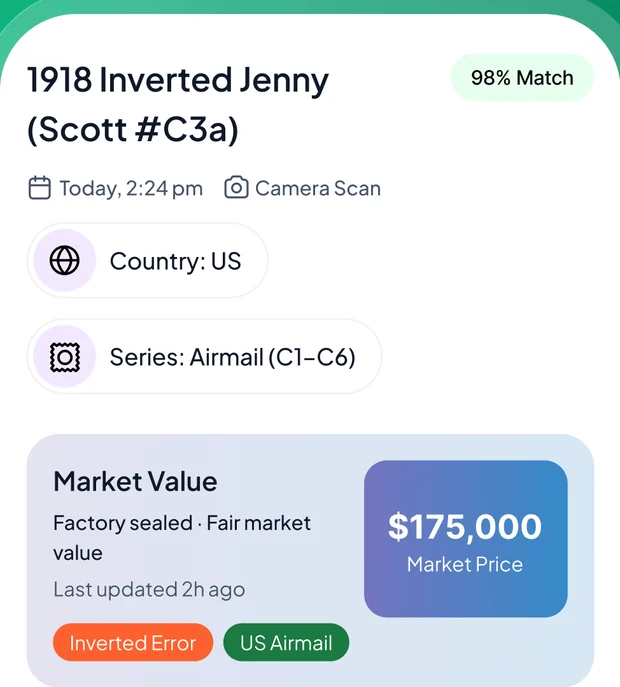
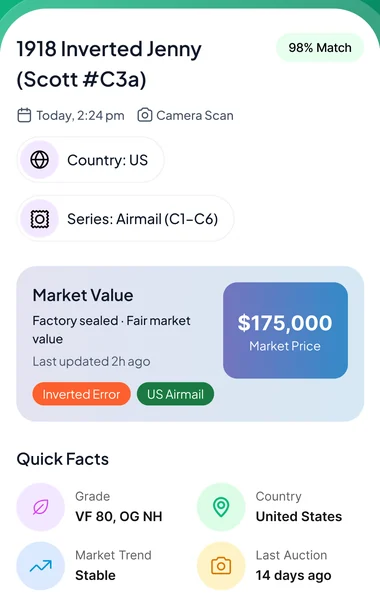
Scott number, series, year, denomination, colour, perforation and watermark — whichever the photo can support, with a match confidence beside them and candidates to choose from.
File it in an album
Save it to an album you named yourself, with its condition estimate, market trend and last recorded sale sitting alongside it.
More than an identifier — a collector's desk
Scanning is the front door. What keeps philatelists in the app is everything that happens to the stamp afterwards.
Scan without a daily quota
No per-day allowance to ration across an album. There is a fair-use ceiling to keep the service up, but ordinary collecting never reaches it.
A watermark mode of its own
Shoot the stamp backlit and the photo goes to a separate model tuned for philatelic watermarks — design, orientation and position — not the general identifier with a different prompt.
Seven identification markers
Scott number, series, year, denomination, colour, perforation and watermark — the fields that separate a common issue from the one worth keeping.
Albums & collection value
Sort stamps into albums you name yourself and watch the collection total move as values change.
Ask StampBrain
No clean shot, or a stamp too damaged to read? Answer five questions — region, type, era, condition and anything unusual about it — and the catalogue narrows itself down.
Photo enhancer
Clean up a dim or glare-heavy shot before it goes to the identifier — better input, better match.
Browse & search
Look a stamp up by name, or filter the catalogue by country and type, and open the same detail page a scan gives you.
Scan history
Everything you have identified stays in recent scans — re-open a stamp without photographing it twice.
A blank field beats an invented one
When the photo cannot support a marker, the app leaves that row out of the panel rather than filling it with a plausible guess — and a stamp the pricing has not reached shows no figure instead of a made-up one.
Every detail that makes a stamp a stamp
A country and a year are the start, not the answer. Two stamps can look identical and be worth a hundred times apart on perforation alone. StampBrain reads the markers that actually settle it.
-
Scott number, series and year The catalogue reference that lets you look the issue up anywhere.
-
Denomination and printed colour Face value as printed, and the shade the catalogue names it by.
-
Perforation and watermark The two fields that most often separate a common stamp from a scarce one.
-
Authenticity tips, not an authentication Things to check yourself. Only an expertising service can certify a stamp.
The field nobody can see by eye
Watermarks are the classic reason a stamp gets sent away to be checked: you cannot read one without holding it to the light, and a wrong call changes what the stamp is. StampBrain gives it its own tab, Detect Watermark, and its own model.
-
Backlight it, or go face-down on dark Hold the stamp up to a light source, or lay it face-down on a dark surface — either makes the watermark readable.
-
Design, orientation and position Not just "there is one" — the three things a catalogue actually asks for.
-
Candidates that bear it The read comes back with the stamps carrying that watermark, not just a description.
-
Same detail page either way A watermark read opens the identical stamp page a front or back scan does.
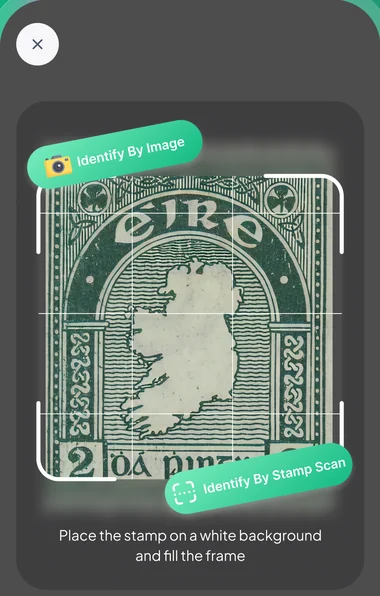
Straight from inside the app
Real screens: frame the stamp, then read what came back.
Taken from the StampBrain App Store screenshots. Stamp names and figures shown are examples — what the app reports depends on the stamp and its condition.
What you get with StampBrain
StampBrain is a subscription app: the download is free, and full access comes with the subscription. Where your store offers an introductory free trial, the purchase screen shows it before you commit.
Start with the appPrice, any introductory offer and renewal terms are set by the App Store or Google Play and are shown on the purchase screen in your region before you buy. If a trial is offered it converts to a paid subscription unless you cancel beforehand, and you can cancel any time from your store subscription settings.
-
Stamp scans without a daily quota Front, back or backlit for the watermark.
-
Seven identification markers Scott number through perforation and watermark.
-
Condition, trend and last sale Shown per stamp, with the market sources behind the figure.
-
Collection tracker Albums and a running total for the whole collection.
-
Ask StampBrain Five questions when a photo will not do it.
Questions, answered
The things collectors ask us before they download.
Find out what is in the old album
Free to download. Open the album on the first page, photograph whatever is in the top-left corner and see what comes back.